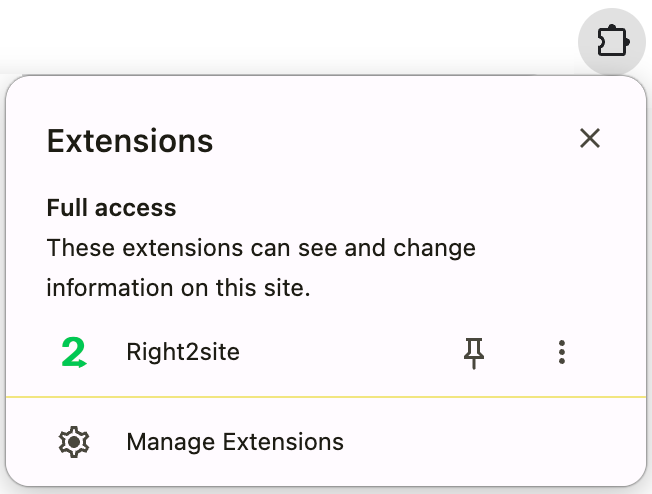
If you haven't already, pin Right2site to your Chrome extension toolbar. Click the  extensions icon in your toolbar, find Right2site, and click the Pin. The
  will appear!
How it works
Type your Google search to navigate to a website normally. Then Right2site takes you instantly to the top result. No ads, no AI summary, no noise. A small overlay appears over your destination with quick links, a search box, and an escape hatch back to full results if you need it.
Using it in Chrome
Type any search in the address bar and press Return. Right2site takes you directly to the top result — no AI summaries, no ads, no detour.
That's it. Nothing changes about how you type — Right2site runs in the background.
Using it in Perplexity Comet
Comet's default Return search goes to Perplexity AI — Right2site leaves that alone.
To trigger Right2site in Comet, press Shift + Return instead. This routes your search directly to the top resulting page.
The overlay widget
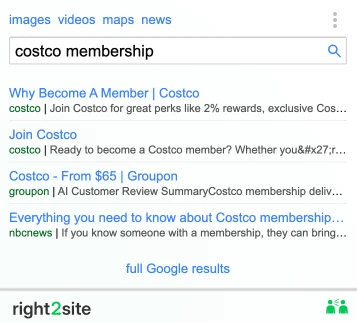
When Right2site lands you on a page, a small panel appears in the top-right corner. It contains:
- AI Summary — for question searches, a Gemini-powered answer appears immediately. Three lines preview with a "more" to expand. Navigation searches like "cnn" or "costco membership" skip this cleanly.
- Quick links — jump to Images, Videos, Maps, or News for the same search
- Search box — refine and search again without going back
- Top results — the next few most relevant sites, in case the first one isn't quite right
- Full Google results — one click back to the regular results page if you need it
70% of all search clicks go to one of the top 4 results. Right2site puts all four in front of you instantly.
Pro tip: go straight to the page you want
Add a site name to your search and Right2site takes you directly to that item on that site — no homepage, no navigation, no hunting around.
espn ronaldo → Ronaldo's stats on ESPNimdb jennifer lawrence → Jennifer Lawrence on IMDbwiki paris climate agreement → Wikipedia articlereddit best budget headphones → the Reddit threadPausing Right2site
Sometimes you want a regular search results page. Click the ⋮ menu in the widget and choose Pause Right2site. Normal Google searches resume immediately.
To unpause, click the Right2site icon in your toolbar — it flips Right2site back on and opens the widget.
Frequently asked questions
What if the top result isn't what I wanted?
The widget shows the next few top results — just click one. Or click full Google results to go straight to the regular results page without triggering Right2site again. Most users rarely need to: the right site is the first result over 97% of the time.
Why does Right2site exist now when Google used to just work?
Google now treats navigation and questions identically — everything gets an AI Overview, ads, and sponsored results on top. Right2site separates them. Navigation takes you straight to the site. Questions get an AI answer right on the page you land on. You don't lose the AI. You just stop seeing it when you didn't ask for it.
Does Right2site work on every search?
It works on any search routed through Google. Searches that stay on Perplexity, Bing, or other engines are not redirected.
Does Right2site collect my search data?
No. Right2site does not log, store, or sell your searches. Queries pass through our server only to fetch the top results and are not retained. See our privacy policy for details.